Your recent files, one click away
A floating panel in your menu bar with instant access to recent files. Drag them into any app, preview inline with one-click OCR, or stage a batch across folders.
macOS · Apple Silicon · No credit card required
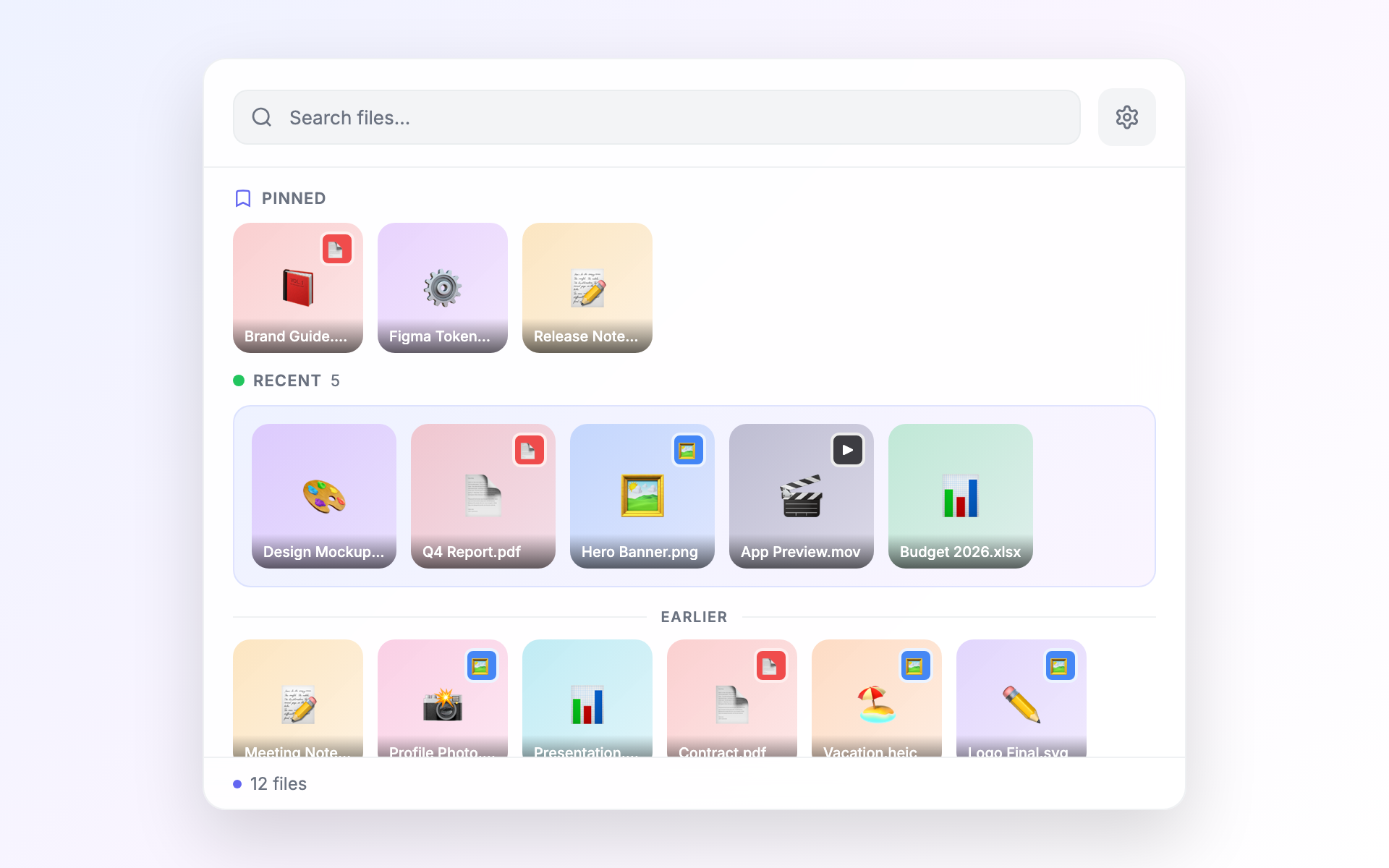
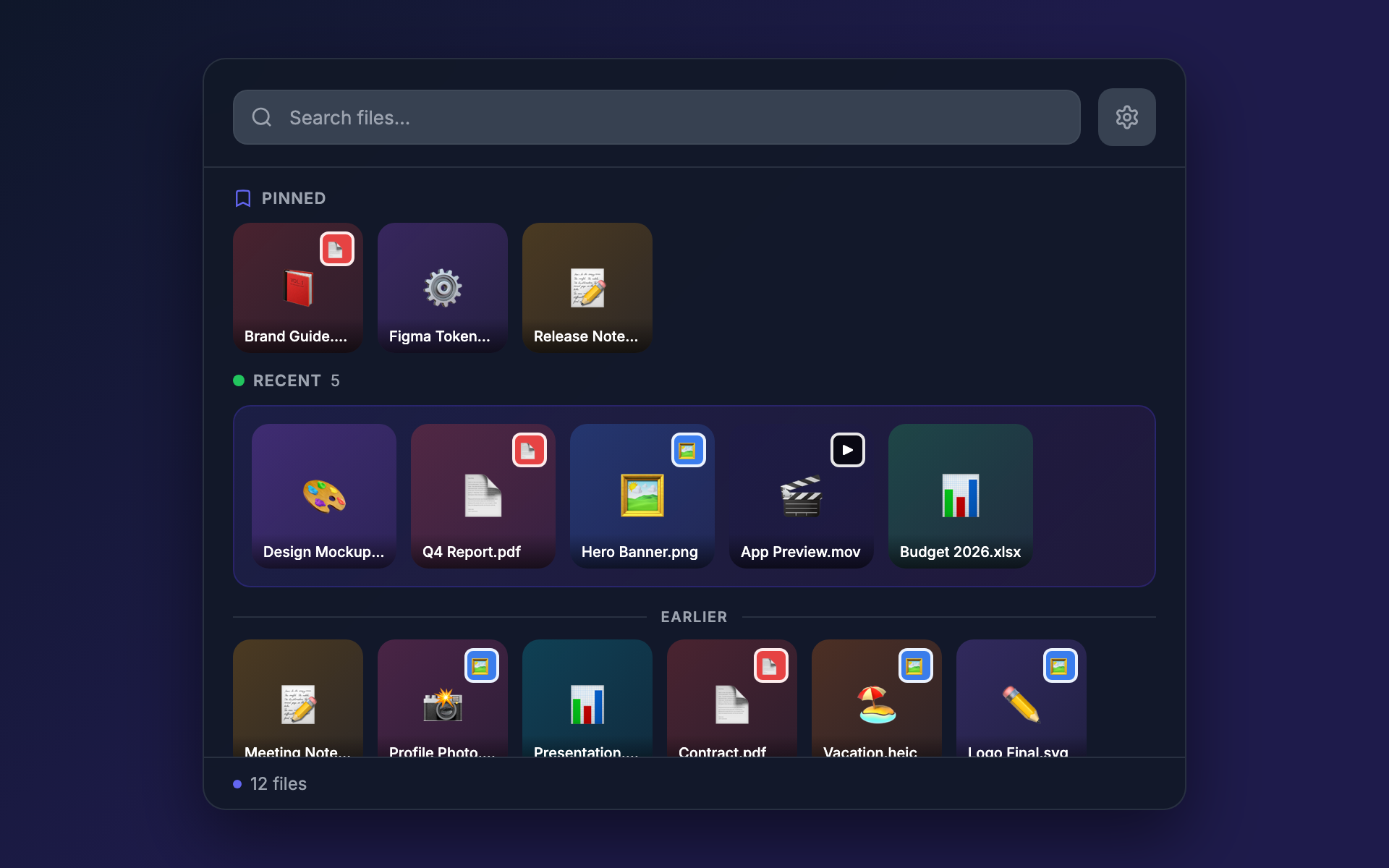
In fullscreen Figma, a terminal, or an AI coding session?
Float surfaces files visually so you can verify what you're sharing — without ever leaving fullscreen.
Float works where Finder doesn't.
Stay in your fullscreen app. Drag files into anything — Mail, Slack, Figma, the browser — without ever leaving what you're doing.
Common workflows
What Float actually saves you when you reach for it during the day.
Drop files into any fullscreen app — verified
Terminal, browser, Figma, an AI coding session — once you're in fullscreen, the rest of your Mac becomes hard to reach. Summon Float over the top, see the file you're about to share, drag it into the fullscreen app, dismiss the panel. You're exactly where you were. Visual confirmation means you never AirDrop the wrong revision.
Drag a screenshot into web messaging
Press ⌘⇧4 to grab a screenshot — it lands on your Desktop and Float picks it up instantly. Drag the thumbnail directly into the WhatsApp Web compose box, Slack, Messenger, Discord, or any browser message field. The image lands inline as image data, not as a file attachment — exactly how those apps want it.
Paste an iPhone screenshot anywhere
AirDropped a screenshot from your iPhone? It arrives as a .heic file that most web apps can't render. Right-click it in Float → Copy as PNG, then ⌘V into WhatsApp Web, Slack, Mail, or any compose field. Float converts the HEIC to PNG image data on the clipboard so it pastes inline. Works the same for JPEG, WebP, HEIC, TIFF, BMP, and GIF.
Drop a fresh download into Slack or Mail
A file just landed in ~/Downloads. Hit your global hotkey, drag the file straight into the compose window. No ⌘⇧G, no scrolling Finder.
Stay in fullscreen Figma (or VS Code, or the browser)
Float floats above any app, including fullscreen Spaces. Summon the panel, drag the file into the fullscreen app, dismiss the panel. You never leave your work.
Send a batch as a single zip
Click files from different watched folders to stage them. Click Zip in the staging bar — a single archive lands on your clipboard ready to drop into Mail.
Pull text out of an image or PDF
Select the file, press Enter to open the preview, click Extract Text. The text is on your clipboard in a couple of seconds — no external OCR app.
Find the file you can't quite name
Visual thumbnails sorted by recency. Scroll the panel, recognize the file, drag it where it goes. You never have to remember the filename.
How do you use Float?
We read every message and the best workflows end up here. Tell us your favorite — or what you wish Float could do — and we'll factor it into what gets built next.
Everything you need, nothing you don't
Float is a focused tool. Every feature earns its place.
Always one click away
Float sits in your menu bar. Click the icon or use a keyboard shortcut to see your recent files instantly — no Finder needed.
Drag files anywhere
Grab a file from Float and drop it into any app — an email, a chat, a document. It just works.
Collect files across folders
Pick files from different places and gather them together. Then zip them, copy their paths, or drag them as a batch.
Preview without opening
Press Enter for Float's inline preview — images, PDFs, documents. Or Space for macOS Quick Look. Hover for a peek without committing.
Extract text from images and PDFs
Right-click any image or PDF and pull out the text — receipts, screenshots, scanned docs. No OCR app required.
Pin your favorites
Pin files you come back to again and again. They stay at the top of Float no matter which folder you're browsing.
Same Float, every workspace
Switch desktops or spaces freely — Float follows you everywhere with the same files, pins, and staging bar ready to go.
Won't slow down your Mac
Float behaves like a system utility, not a heavy app. It sits quietly in your menu bar — you can forget it's running until you need it.
Native macOS APIs, real-time file watching, background thumbnail generation. No Electron, no cloud.
See it in action
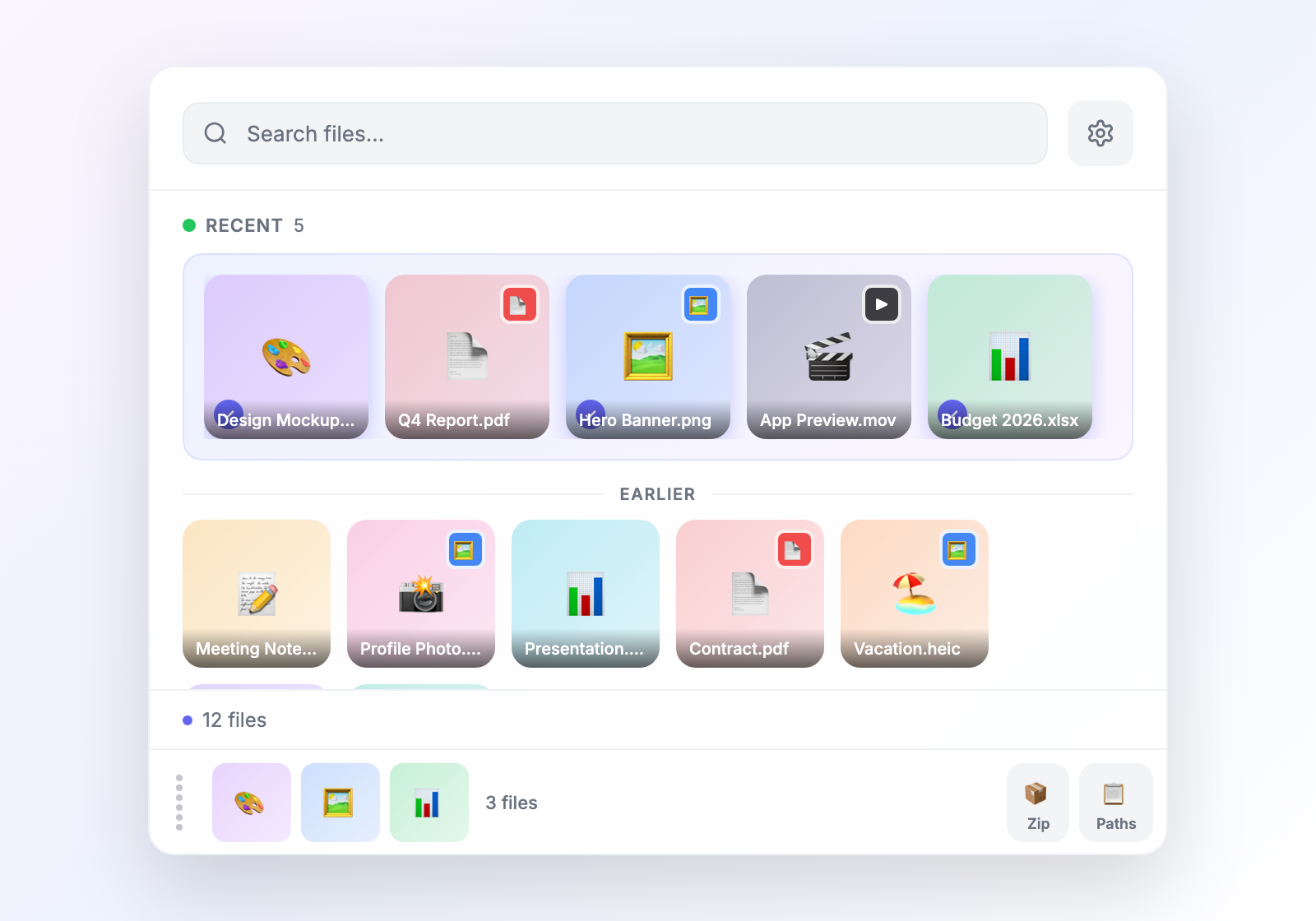
Collect from anywhere
Pick files from different folders, gather them in the staging bar, then zip, copy paths, or drag them as a batch.
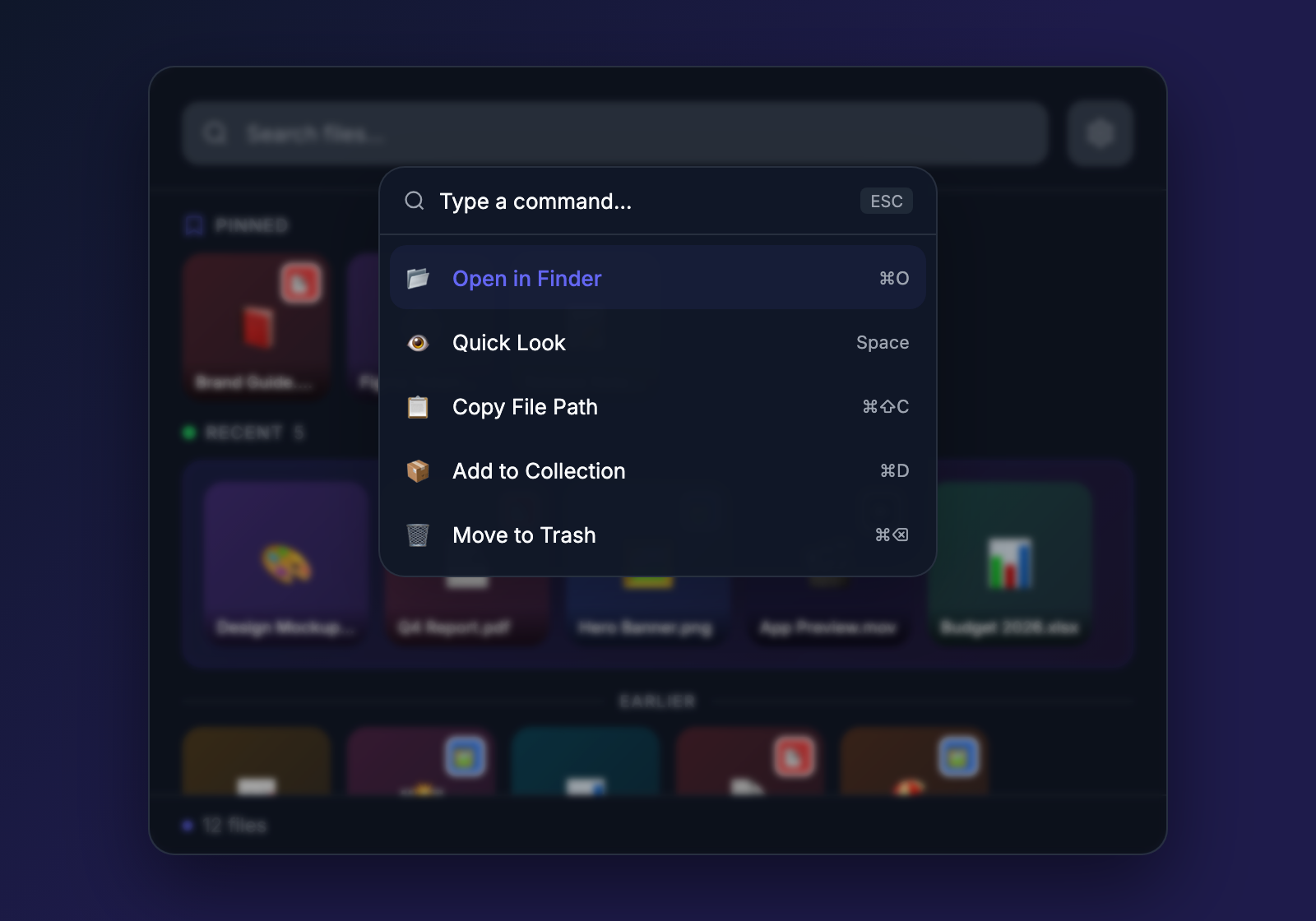
Keyboard-first workflow
Press Cmd+K to search files, run actions, and navigate — all without touching the mouse.
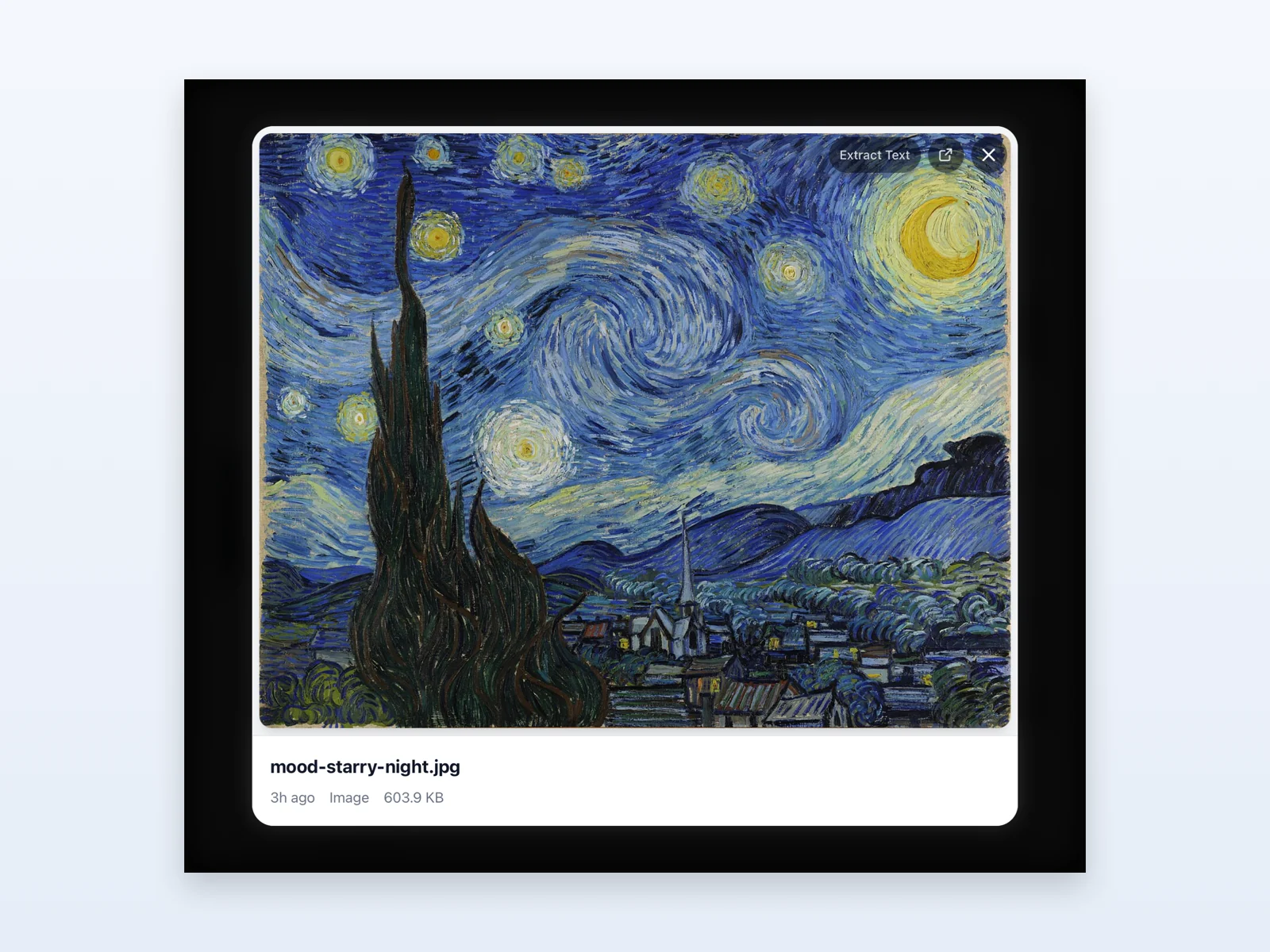
Preview without opening
Press Enter on any file to open a full-resolution preview right inside the panel. Images, PDFs, documents — and Extract Text pulls the text out of images or PDFs in one click.
Simple, honest pricing
One purchase. No subscriptions.
Float
One purchase. Yours forever.
14-day free trial · No account needed
14-day money-back guarantee
- Watch any folder under your home directory — recursive or flat
- Stage files from different folders and drag them as a batch
- Press Enter to preview anything inline — images, PDFs, docs
- Extract text from any image or PDF in one click
- Search and run actions from a ⌘K command bar
- Pin the files you reach for most to the top
- 12 themes for day and night, automatic dark-mode sync
- Localized in English, Spanish, French, German, Japanese, and Chinese
- Every future feature included — no upgrade fees
- Use on up to 3 Macs, swap a slot anytime from Settings
Ready to try Float?
Download Float and try it free for 14 days. No account needed.
Try Free for 14 DaysRequires macOS 11+ on Apple Silicon (M1 or later)